
Attribute AQL Sampling Plans
Looks up an attribute sampling plan from the ANSI/ASQ Z1.4 tables (the same plans as IS 2500 Part 1). You choose the plan type (single, double or multiple), inspection level, switching level, AQL and lot size. The result is a sample size and an accept and reject number for each sampling stage. Inspect that many items at random, count the defectives, and accept or reject the lot. No data is entered; the tool only reads the tables. Attribute AQL Sampling Plans is one of the acceptance sampling tools in Zometric Statistical Software, run from the Statistical Workspace or its own tool page.
Last reviewed
Key takeaway
Attribute AQL Sampling Plans look up the sample size and the accept and reject numbers for inspecting a lot of pass/fail items, using the ANSI/ASQ Z1.4 tables for your lot size, AQL and inspection level.
On this page
What are Attribute AQL Sampling Plans?
Attribute AQL Sampling Plans give you a ready-made inspection plan for a lot of items that are each judged pass or fail. You enter the lot size, how strict the inspection should be, and the Acceptable Quality Level (AQL). The tool returns how many items to inspect and how many defectives you may find before you reject the lot.
The plans come from the ANSI/ASQ Z1.4 tables, which match IS 2500 Part 1 (and the international standard ISO 2859-1). The AQL is the worst average quality that the customer still treats as acceptable as a process average. It is not a promise about each lot. A lot at the AQL level is accepted most of the time, and a clearly worse lot is usually rejected.
The tool follows the standard's steps:
- The lot size and the inspection level give a code letter.
- The code letter, the AQL, the plan type and the switching level give the sample size and the accept and reject numbers.
When to use it
- You receive or ship lots of discrete items and each item is either conforming or nonconforming (or you count defects per item).
- Checking every item is too slow, too costly or destructive.
- A customer, standard or regulator asks for a documented sampling procedure. Plans like this are common in electronics, pharmaceuticals and textiles.
- You want to control the quality of incoming or outgoing lots.
When not to use it, and what to use instead:
- You measure the characteristic on a continuous scale and can use the mean and standard deviation: use Variable AQL Sampling Plans. They need smaller samples for similar protection.
- You want a plan built from your own AQL, rejectable quality level and risks, with an operating characteristic curve: use Create Attribute Acceptance Sampling.
- You already have a plan (sample size and accept number) and want to see how well it protects you: use Compare Attribute Acceptance Sampling.
- You want to watch a running process or prevent defects, not accept or reject a lot: use a control chart such as the P Chart. AQL plans only sort finished lots and do not improve the process.
- The lot is very small: the standard's sample may be as big as the lot, so inspect every item.
Data you need
No data. This is a lookup tool. You only enter the options. You need:
Input | Where it comes from | Example |
|---|---|---|
Lot size | The number of items in the lot | 5000 |
AQL | Your contract, customer or risk rating of the defect | 1 (percent) |
Inspection level | The standard's default is G2; your contract may say otherwise | G2 |
Plan type | Your choice of single, double or multiple sampling | Single |
Switch level | Where you stand in the standard's switching rules | Normal |
How to run Attribute AQL Sampling Plans in Zometric Statistical Software
Sign in to Zometric Statistical Software. You can run Attribute AQL Sampling Plans in the Statistical Workspace, where most people work, or on its own tool page. In the Workspace the tool is called ANSI Z1.4 Sampling.
In the Statistical Workspace
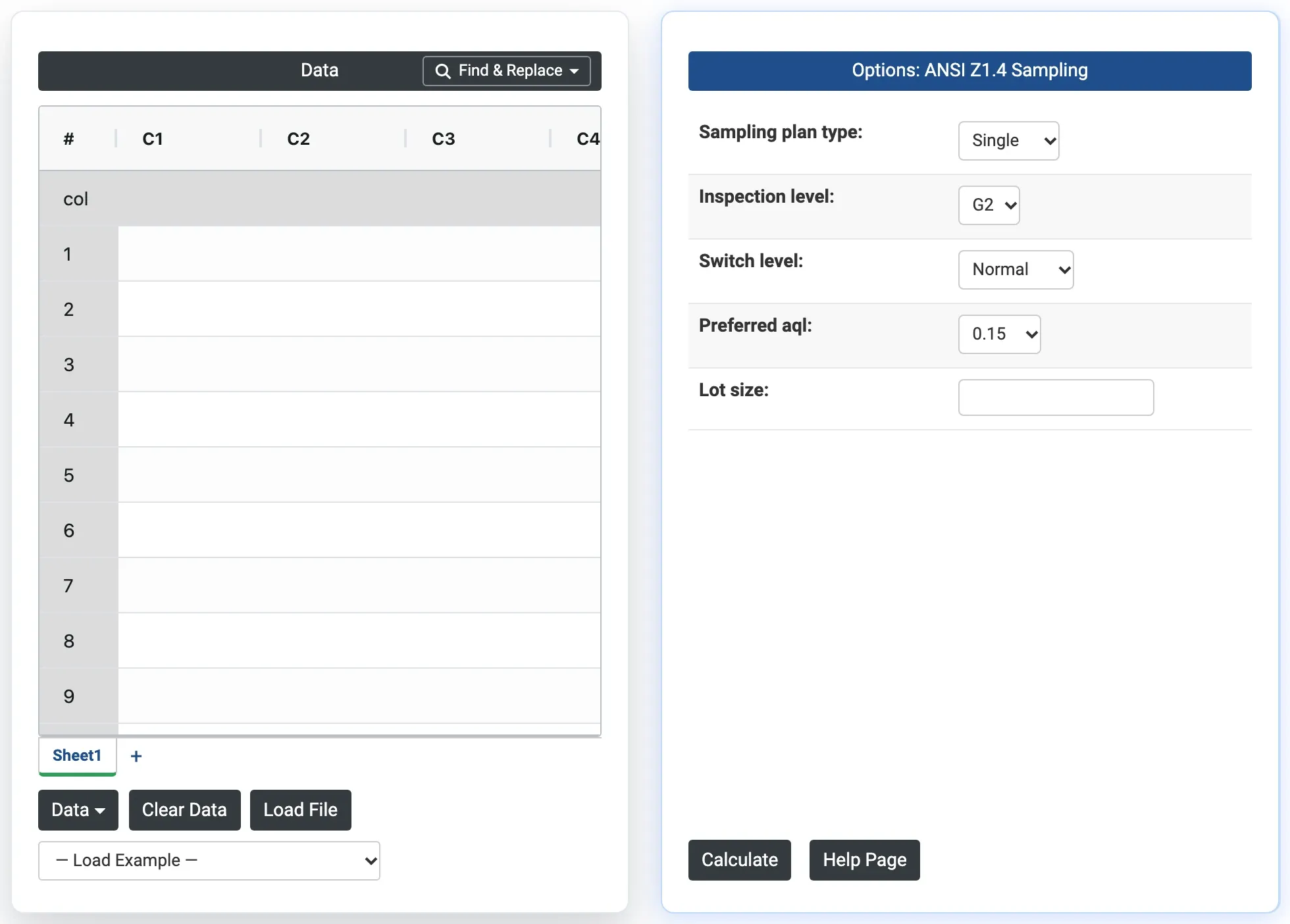
- Open Statistical Workspace. There is no data to enter, so you can leave the Data grid empty.
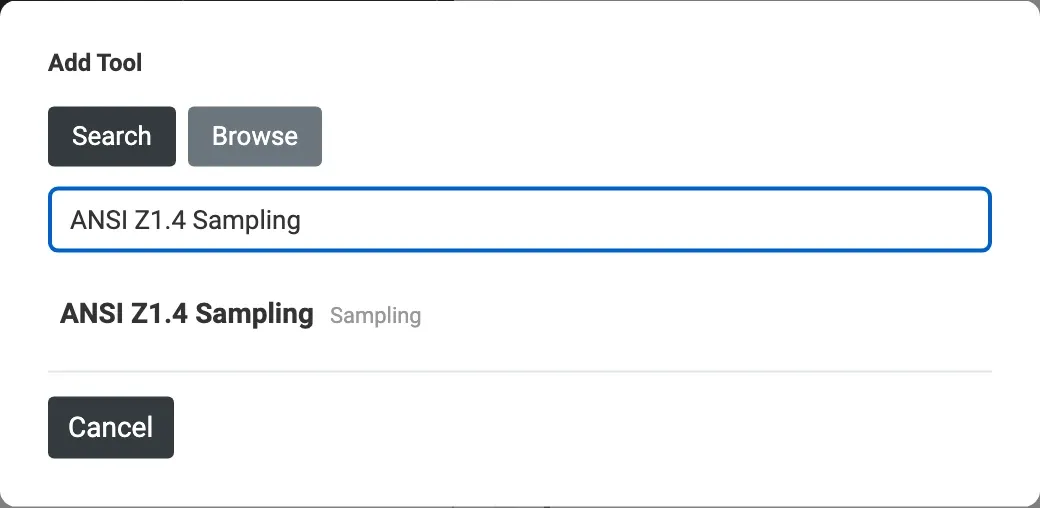
- Click + Add Tool, search for ANSI Z1.4 Sampling and open it. You can also find it under Browse › Sampling.
- In Options: ANSI Z1.4 Sampling, choose the plan type, levels and AQL and enter the lot size (see Options below).
- Click Calculate. The results appear in the Output section.
- To keep them, use Download › (PDF, Word or Excel), or Export › to put several analyses into one file.
On the tool page
- Open Statistical Tools and click Attribute AQL sampling plans (category: Sampling).
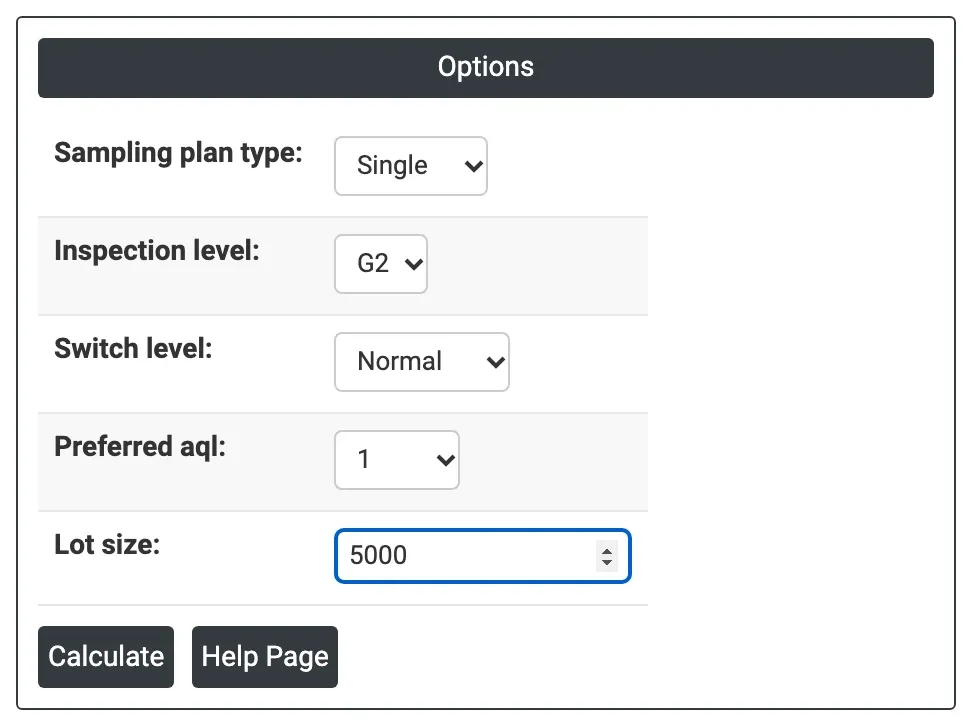
- Fill in the Options. The page has no Data Pane.
- Click Calculate.
- Use Download › to save the results as PDF, Word or Excel.
No account yet? Talk to us for a demo or a trial.
Options
All five fields are required. Lot size is the only one you must type.
- Sampling plan type: How many sampling stages the plan uses. Choose Single (default), Double or Multiple. Single draws one sample and decides. Double draws a second sample only when the first is in doubt. Multiple uses up to seven small samples and can decide after each. Double and multiple plans have a lower average sample size but are harder to run. For the same AQL and code letter, all three give about the same protection.
- Inspection level: How much inspection the lot gets. Choose G1, G2 (default), G3, S1, S2 or S3. G1 to G3 are the general levels (levels I, II and III in the standard). G2 is the standard default. G3 gives larger samples and sharper discrimination, G1 smaller ones. S1 to S3 are the special levels for small samples, used when inspection is destructive or costly and you can accept more risk.
- Switch level: Which of the standard's three plans to read. Choose Normal (default), Tightened or Reduced. The tool does not track your lot history. You choose the level that applies now (see How switching works below).
- Normal is used at the start and whenever there is no evidence that quality is better or worse than the AQL.
- Tightened uses stricter acceptance numbers to protect the customer when recent lots look worse than the AQL.
- Reduced uses smaller samples when quality has been consistently better than the AQL.
- Preferred aql: The AQL, from the standard's list: 0.01, 0.015, 0.025, 0.04, 0.065, 0.1, 0.15, 0.25, 0.4, 0.65, 1, 1.5, 2.5, 4, 6.5, 10, 15, 25, 40, 65, 100, 150, 250, 400, 650 and 1000. Default 0.15. Up to 10 it can mean percent nonconforming or nonconformities per 100 items. Above 10 it means nonconformities per 100 items only. Use smaller values for critical or safety-related defects, and larger values for minor ones.
- Lot size: The number of items in the lot, as a whole number.
How switching works
The standard changes the plan as your lot history changes. In short, you start on Normal.
- Move to Tightened when 2 of 5 lots in a row are rejected on original inspection.
- Return from Tightened to Normal after 5 lots in a row are accepted.
- Move to Reduced only when the last 10 lots were accepted, production is steady and the responsible authority agrees.
- Return from Reduced to Normal if a lot is rejected, production becomes irregular, or other conditions call for it.
Check your contract or the standard for the full rules. Under Reduced, a lot with a defect count between the accept and reject number is accepted, but you go back to Normal.
This tool has no Data Options: Subset and no guided interpretation.
Output
The results appear in this order.
- Input table. One row that repeats your choices: plan type, inspection level, switch level, AQL and lot size.
- Sampling plan table. One row for each sampling stage: one row for a single plan, two for double, up to seven for multiple. The columns are:
- the stage number (sample_number). A single plan has one row, so ignore its stage number; for some lots it prints 2;
- the code_letter from the lot size and inspection level;
- the redirect_code_letter. The standard sometimes has an arrow in a cell, which sends you to the plan of another code letter. This column shows the letter the plan is actually read from. When it differs from the code letter, the sample size is the one for the redirect letter;
- the sample_size to inspect at that stage;
- the acceptance_number, the largest count of defectives that still accepts the lot;
- the rejection_number, the count of defectives that rejects the lot.
How to apply the plan:
- Single: Inspect the sample. Accept if the number of defectives is at or below the acceptance number. Reject if it is at or above the rejection number. Under Normal and Tightened inspection the rejection number is the acceptance number plus one, so every sample gives a decision. Reduced single plans can have a gap (for example 2 / 5); see How switching works.
- Double or multiple: Inspect the first sample. Accept or reject if the count meets the stage's numbers. Otherwise draw the next sample. From stage 2 on, the acceptance and rejection numbers are cumulative: compare them with the total count of defectives over all samples drawn so far.
- A stage-one acceptance number of -1 (in multiple plans) means the lot cannot be accepted at that stage. The standard marks these cells with a symbol instead.
- Draw the sample at random from the whole lot.
- If the sample size is larger than the lot, inspect every item.
Worked example
A supplier ships a lot of 5000 plastic housings. The contract asks for the standard general inspection level, AQL 1 and a single sampling plan. The supplier is on normal inspection.
In Options: ANSI Z1.4 Sampling, choose Single, G2, Normal and 1, and enter 5000 as the lot size. Click Calculate.
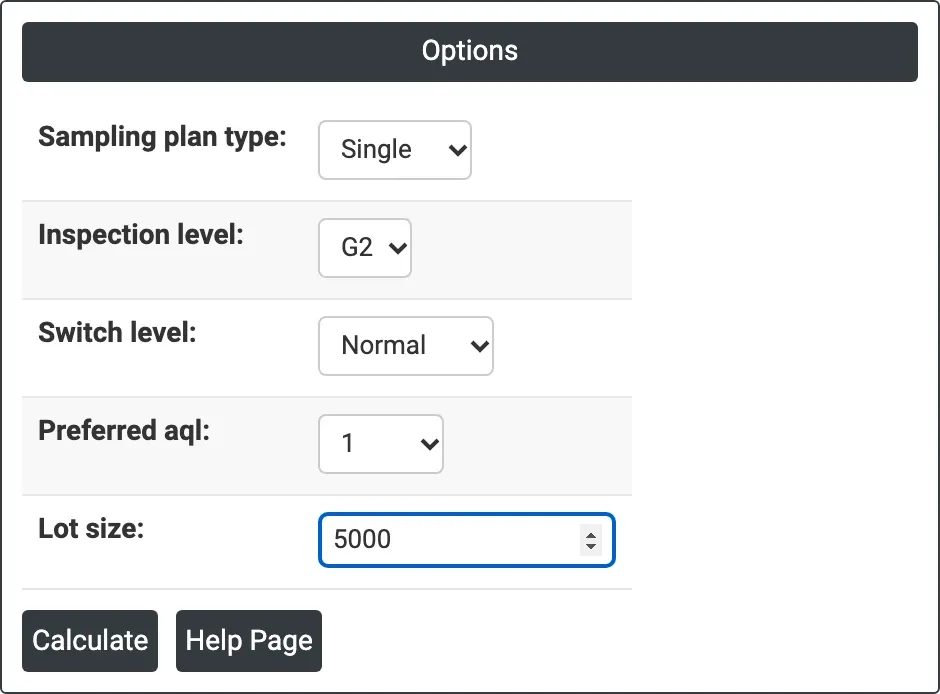
The input table repeats those five choices.

For lot size 5000 at level G2 the code letter is L. The plan:

Inspect 200 housings, chosen at random from the lot. If there are 5 or fewer defective housings, accept the lot. If there are 6 or more, reject it.
For the same lot and AQL, the other settings give these plans:
Plan | Switch level | Stage sizes | Accept / reject numbers |
|---|---|---|---|
Single | Tightened | 200 | 3 / 4 |
Single | Reduced | 80 | 2 / 5 |
Double | Normal | 125 and 125 | 2 / 5, then 6 / 7 (cumulative) |
Multiple | Normal | 50 at each of 7 stages | -1 / 4, 1 / 5, 2 / 6, 3 / 7, 5 / 8, 7 / 9, 9 / 10 (cumulative) |
With the double plan, 2 or fewer defectives in the first 125 accepts, and 5 or more rejects. With 3 or 4, inspect another 125, then accept if the total is 6 or fewer and reject if it is 7 or more. In the multiple plan, the first stage has acceptance number -1: the lot cannot be accepted after only 50 items, but 4 or more defectives reject it.
Other inspection levels. With G1 the same lot gets code letter J: sample size 80, accept 2, reject 3. With G3 it gets code letter M: sample size 315, accept 7, reject 8.
Leave the AQL at the default of 0.15 for the same lot and the code letter L is redirected to M. The sample then grows to 315 with accept number 1 and reject number 2. A tighter AQL needs a bigger sample for a lot of this size.
Frequently asked questions
What does AQL mean in a sampling plan?
The Acceptable Quality Level is the worst process average, in percent nonconforming or defects per 100 items, that is still considered satisfactory for a continuing series of lots. Lots near the AQL are accepted most of the time. It is not the percent of defects you will allow in one lot.
Which inspection level should I use?
Use G2 unless your customer, contract or regulation says otherwise. G3 gives more discrimination with a larger sample. G1 uses a smaller sample. S1 to S3 give small samples when testing is destructive or costly, but they discriminate less.
How do the acceptance and rejection numbers work in single, double and multiple plans?
The acceptance number is the largest count of defectives in the sample that still accepts the lot. The rejection number is the smallest count that rejects it. A single plan decides on one sample. A double plan decides on the first sample when the count reaches the first acceptance or rejection number; otherwise it takes a second sample and compares the combined count with the second-stage numbers. A multiple plan continues with up to seven smaller samples. Double and multiple plans often need fewer items on average but are harder to run.
Does the tool switch between normal, tightened and reduced inspection for me?
No. It reads the table for the switch level you choose. You keep track of your lot history and change the setting when the standard's switching rules say so.
What if the sample size is larger than my lot?
Inspect every item. Small lots with a tight AQL can ask for a sample as big as the lot or bigger, and the tool does not warn you.
Why does the sample size differ from the table for my code letter?
When the standard's cell has an arrow, you read the plan of another code letter. The redirect code letter column shows it, and the sample size and accept and reject numbers are for that letter.