What is Variance Component Analysis?
Variance Components Analysis is a statistical technique used to decompose the total variation observed in a dataset into distinct, identifiable sources. Rather than simply measuring how much variation exists overall, it breaks that variation down and tells you exactly how much each source — such as operators, machines, batches, or measurement equipment — contributes to the total.
This is especially valuable in manufacturing and quality management because knowing where variation comes from is the first and most important step toward reducing it. Fixing the wrong source of variation wastes time and resources; variance components analysis ensures you target the right one.
Simple Definitions: A tool that splits total process variation into its individual contributing sources — telling you which factor (machine, operator, batch, etc.) is responsible for how much of the overall spread in your data.
When to use Variance Component Analysis?
- Use when you have a nested or hierarchical data structure — for example, parts nested within batches, batches nested within shifts.
- Use when you need to identify and rank the main sources of process variation before deciding where to focus improvement efforts.
- Use in measurement system analysis to separate measurement error from actual part-to-part variation.
- Use when factors in your study are random rather than fixed — meaning they represent a sample from a larger population of possible levels (e.g. randomly selected operators, randomly chosen batches).
Guidelines for correct usage of Variance Component Analysis
- All factors must be random effects for variance components to be meaningful — if factors are fixed, use a standard ANOVA instead.
- The response variable must be continuous.
- Ensure the data structure is correctly defined as nested or crossed before running the analysis — an incorrect structure produces invalid variance estimates.
- Collect a balanced dataset where possible — equal numbers of observations per group give the most stable and accurate variance estimates.
- Interpret percentage contribution of each component — a source contributing more than 30% of total variation typically warrants immediate investigation and action.
Alternatives: When not to use Variance Component Analysis
- If all factors are fixed effects (specific, predetermined levels you chose intentionally), use ANOVA
- If you are specifically assessing a measurement system, use Gage R&R Study — it is purpose-built for measurement system evaluation and gives more actionable output.
- If the response is categorical or attribute-based, use Attribute Agreement Analysis
- If you have a simple two-group comparison without nesting, use Test for Equal Variances or F-Test
Example of Variance Component Analysis
A medical researcher wants to study the effects of various factors on pulse rates. The researcher records the height, weight, gender, smoking preference, activity level, and resting pulse rate of 91 undergraduate students. The researcher then randomly divides the students into two groups. The first group runs in place for a minute while the other group stands still. Then, the researcher records the students' pulse rates again. The following steps:
- Gathered the necessary data.
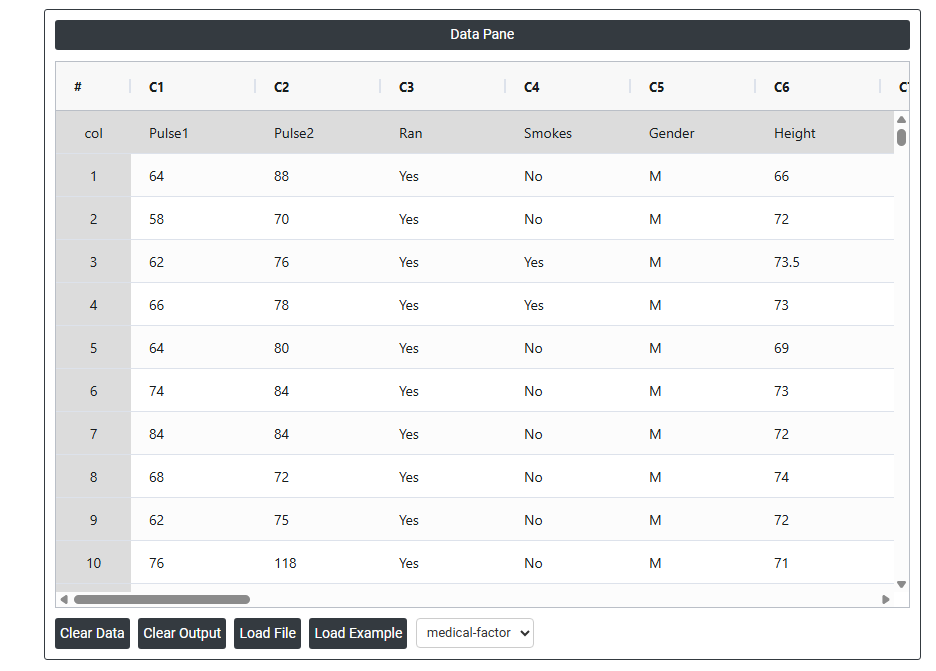
- Now analyses the data with the help of https://qtools.zometric.com/ or https://intelliqs.zometric.com/.
- To find Variance Component Analysis choose https://intelliqs.zometric.com/> Statistical module> Anova>Variance Component Analysis.
- Inside the tool, feeds the data along with other inputs as follows:
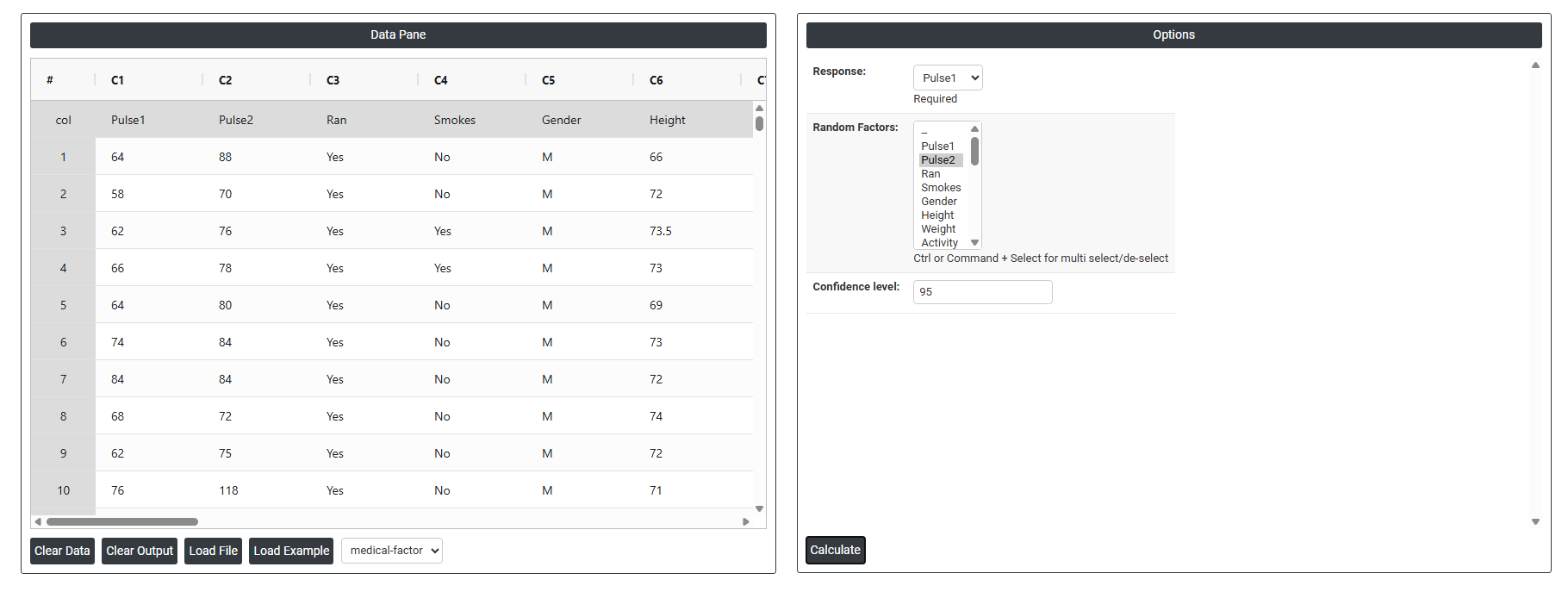
5. After using the above mentioned tool, fetches the output as follows:
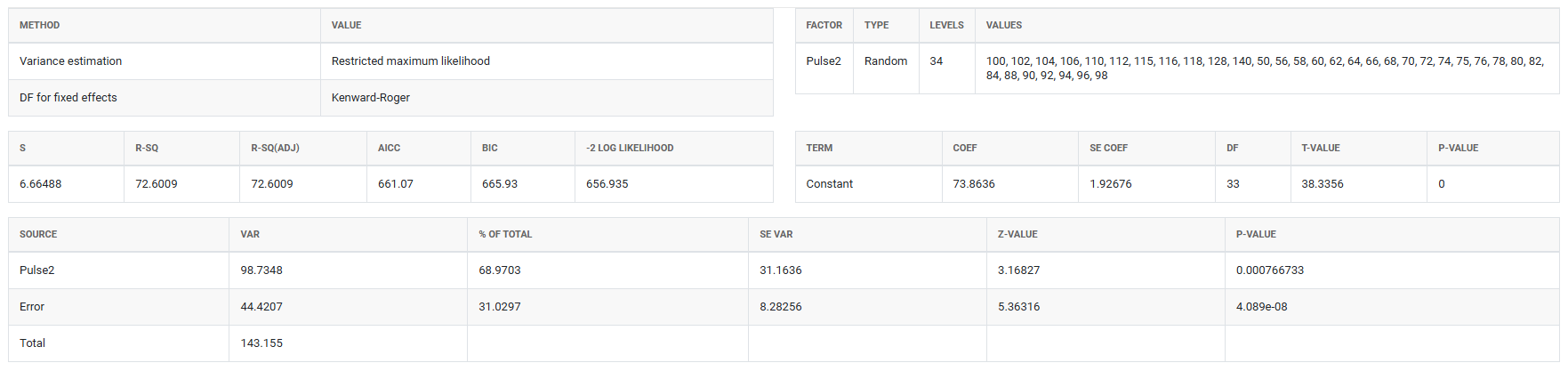
How to do Variance Component Analysis
The guide is as follows:
- Login in to QTools account with the help of https://qtools.zometric.com/ or https://intelliqs.zometric.com/
- On the home page, choose Statistical Tool> Anova >Variance Component Analysis
- Next, update the data manually or can completely copy (Ctrl+C) the data from excel sheet and paste (Ctrl+V) it here.
- Fill the required options.
- Finally, click on calculate at the bottom of the page and you will get desired results.
On the dashboard of Variance Component Analysis, the window is separated into two parts.
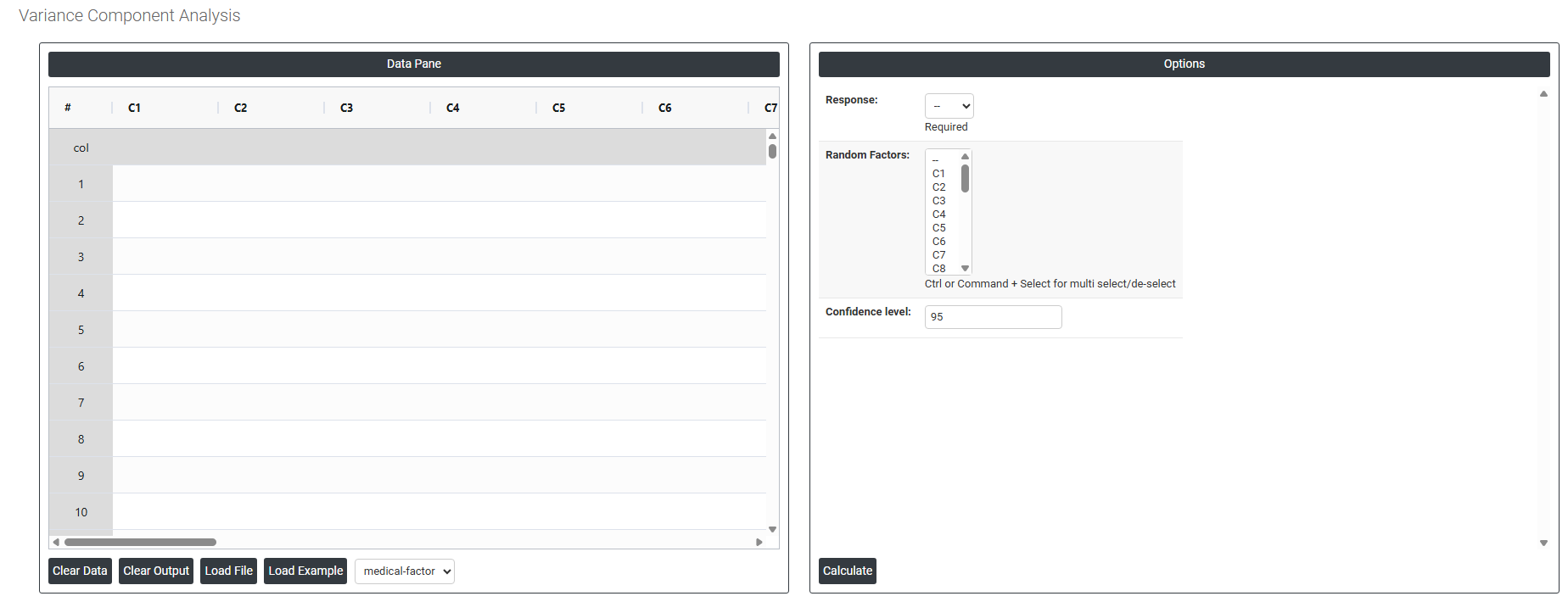
On the left part, Data Pane is present. In the Data Pane, each row makes one subgroup. Data can be fed manually or the one can completely copy (Ctrl+C) the data from excel sheet and paste (Ctrl+V) it here.
Load example: Sample data will be loaded.
Load File: It is used to directly load the excel data.
On the right part, there are many options present as follows:
- Response: Select the column containing your continuous measurement data — the outcome variable whose total variation you want to decompose into individual sources. This is a required field. The response must be a numeric, continuous variable such as a dimension, weight, strength, or any measurable quality characteristic. The analysis will break down how much of the total spread in this column is attributable to each of the random factors you specify.
- Random Factors: Select the column(s) that represent the sources of variation you want to quantify — such as operators, machines, batches, or shifts. Use Ctrl or Command + Click to select multiple factors. These must be random factors, meaning the levels in your data represent a random sample from a larger population of possible levels — for example, 3 randomly chosen operators from a pool of many. The analysis estimates how much variance each of these factors contributes to the total variation in the response.
- Confidence Level: Sets the certainty level for the confidence intervals calculated around each variance component estimate. The default is 95%, meaning you are 95% confident the true variance contribution of each factor falls within the displayed interval. A higher confidence level produces wider intervals with greater certainty; a lower level produces narrower intervals. The 95% default is the standard used across most statistical and quality applications and is recommended for the majority of studies.