
Bioassay - Combine Assays
On this page
What is Bioassay — Combine Assays?
Combine Assays is a statistical procedure used to merge potency results from several independent bioassay runs — for example, repeated Parallel Line, Slope Ratio, Quantal Response, or Four-Parameter Logistic assays for the same test preparation — into a single overall potency estimate with its own confidence interval.
Each individual assay contributes a potency estimate together with its own confidence interval and residual degrees of freedom. These are combined using inverse-variance weighting on the log-potency scale, so that more precise assays (narrower confidence intervals) contribute more to the overall estimate than less precise ones.
Before combining, two homogeneity tests are performed: a homogeneity-of-means test (are the individual potency estimates consistent with each other?) and a Bartlett’s test for homogeneity of variances (do the assays have comparable precision?). Depending on the outcome, a weighted, semi-weighted (heterogeneity-adjusted), or unweighted combination is used.
Combine Assays is used across the pharmaceutical and biotechnology industries whenever a single released potency value must be supported by more than one independent assay run — for example, combining repeat assays performed to resolve an out-of-specification result, or pooling routine release assays over time — in line with the combination-of-assays principle described in USP <111> and European Pharmacopoeia 5.3.
When to use Bioassay — Combine Assays?
Combine Assays is used whenever you have two or more independent assay results (each with its own potency estimate, confidence interval, and degrees of freedom) for the same preparation, and need to report one overall potency and confidence interval rather than several separate ones.
Guidelines for correct usage of Bioassay — Combine Assays
- Each row must represent one independent assay run, not one individual observation
- Provide the Potency, Lower CL, Upper CL, and Degrees of Freedom for every assay run
- Use the Preparation column only if you need to combine results separately for more than one test preparation in the same table
- Review the homogeneity test results before relying on the combined potency — if assays are flagged heterogeneous, investigate the cause (e.g., a genuinely different batch) rather than relying solely on the semi-weighted adjustment
- Combine only assays that used the same standard and were intended to measure the same test preparation
Alternatives: When not to use Bioassay — Combine Assays
If you only have a single assay result, there is nothing to combine — use the Parallel Line, Slope Ratio, Quantal Response, or Four-Parameter Logistic Method directly and report that result. If your assay results do not include confidence intervals or degrees of freedom (only bare potency values), this tool cannot compute inverse-variance weights and should not be used.
Example of Bioassay — Combine Assays?
A quality control manager has three independent Parallel Line potency results for the same batch of a test preparation, run on different days, and needs to report one combined potency value in the certificate of analysis. The manager follows these steps:
- Gathered the necessary data.
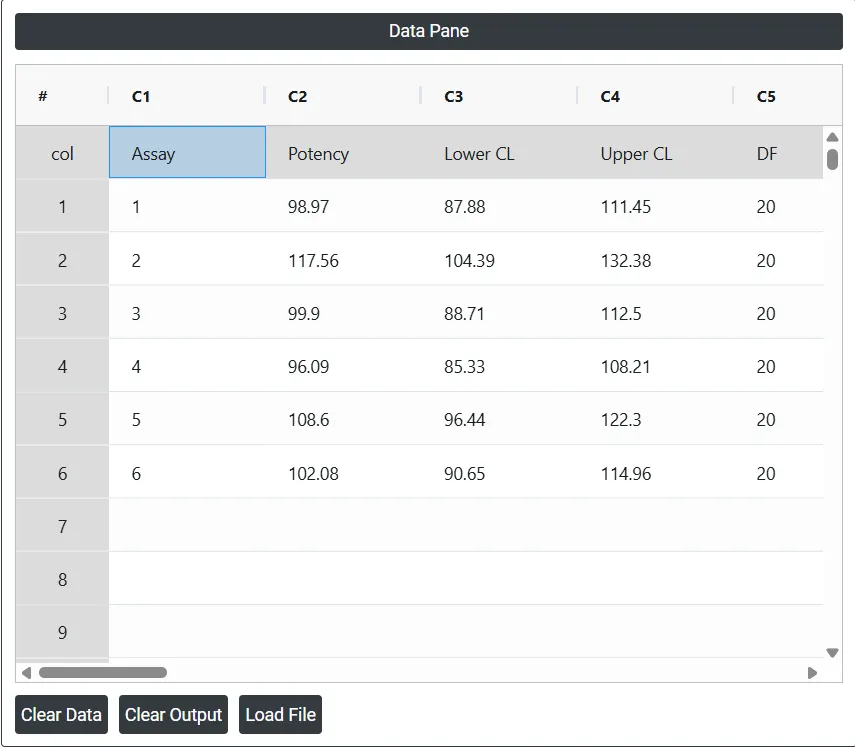
- Now analyses the data with the help of https://statsai.zometric.com/.
- To find Bioassay — Combine Assays, choose intelliqs.zometric.com > Statistical module > Regression > Bioassay — Combine Assays.
- Inside the tool, feeds the data along with other inputs as follows:
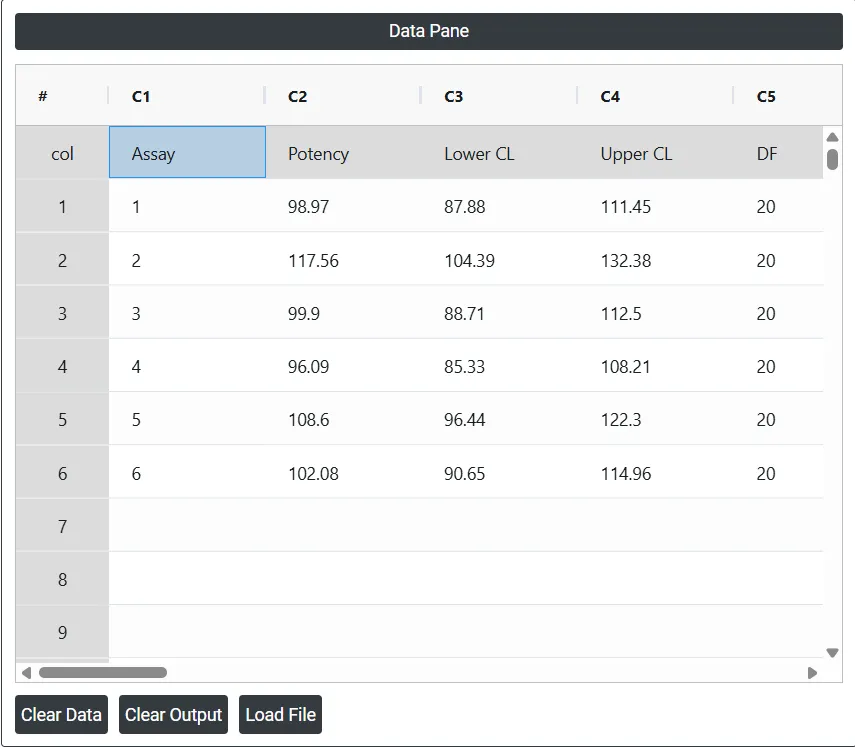
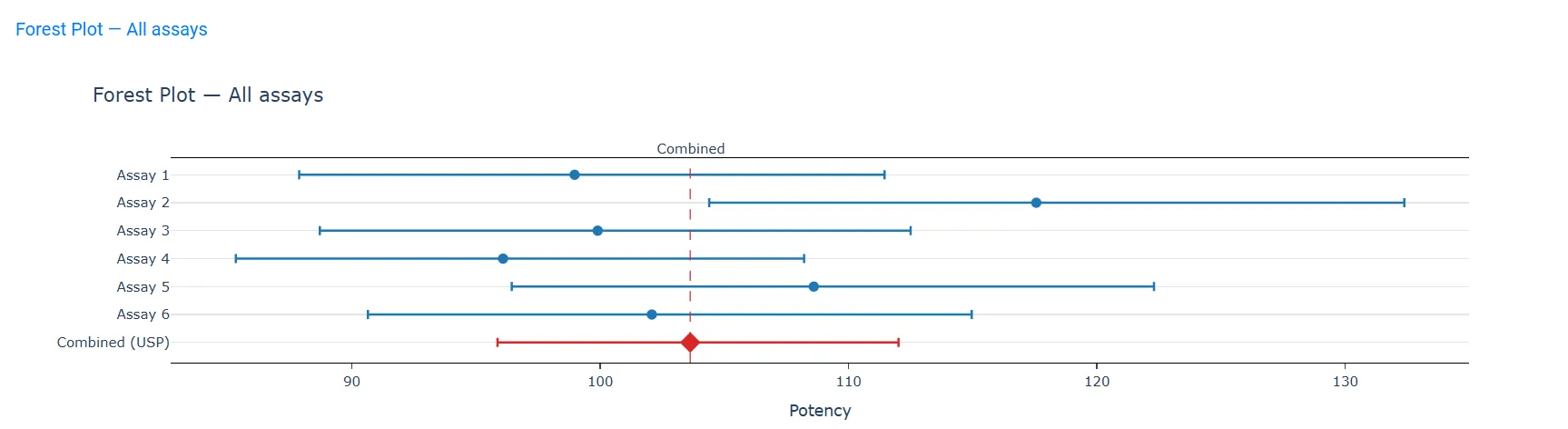
- After using the above mentioned tool, fetches the output as follows:
How to generate Bioassay — Combine Assays?
The guide is as follows:
- Login in to Stats AI account with the help of https://statsai.zometric.com/
- On the home page, choose Statistical Tool > Regression > Bioassay — Combine Assays.
- Click on Bioassay — Combine Assays and will reach the dashboard.
- Next, update the data manually or can completely copy (Ctrl+C) the data from excel sheet and paste (Ctrl+V) it here — one row per independent assay run.
- Next, you need to select the Potency, Lower CL, Upper CL, and Degrees of Freedom columns, and choose the combination method (USP or EP).
- Finally, click on calculate at the bottom of the page and you will get desired results.
On the dashboard of Bioassay — Combine Assays, the window is separated into two parts.
On the left part, Data Pane is present. Data can be fed manually or the one can completely copy (Ctrl+C) the data from excel sheet and paste (Ctrl+V) it here.
- Load example: Sample data will be loaded.
- Load File: It is used to directly load the excel data.
On the right part, there are many options present as follows:
- Potency: The column containing each independent assay’s estimated potency.
- Lower CL / Upper CL: The columns containing each assay’s confidence limits.
- Degrees of Freedom: The column containing each assay’s residual degrees of freedom.
- Preparation (optional): If provided, assays are combined separately for each distinct preparation.
- Assay label (optional): Identifies each assay run (e.g. run date, batch ID) for the table and forest plot — defaults to "Assay 1", "Assay 2", ... if not provided
- Combination method: USP <111> (semi-weighted throughout), EP 5.3 (weighted / semi-weighted / unweighted, auto-selected by the homogeneity test result) or EP 5.3, 4th–9th Edition Legacy (Heterogeneously Weighted). (learn more)
- Confidence level: The confidence level (%) used for the combined potency’s confidence limits.
- Download as Excel: This will display the result in an Excel format, which can be easily edited and reloaded for calculations using the load file option.